
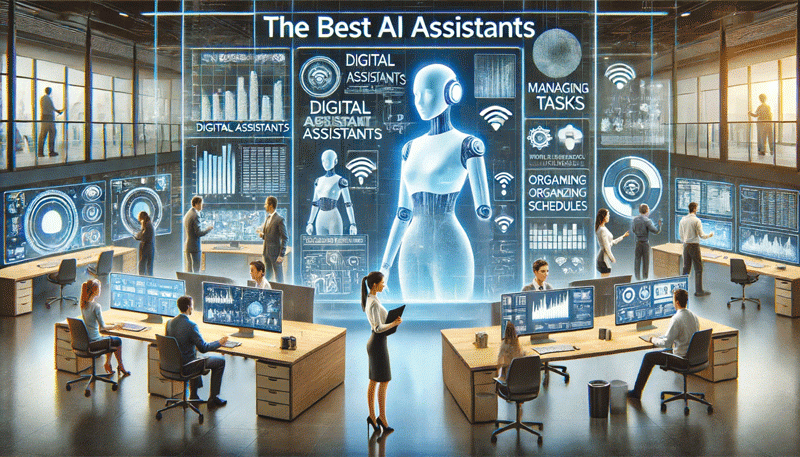
ARTIFICIAL intelligence has quietly moved from research laboratories into everyday working life. Many professionals now interact with AI assistants on their phones, laptops, and web browsers, often without fully understanding how these tools actually work.
From drafting emails and summarising reports to answering questions and assisting with coding or data analysis, AI assistants are becoming a routine part of the modern digital workplace.
Despite their growing use, confusion remains widespread. Some people expect AI assistants to behave like search engines. Others assume they think or reason like humans. To use these tools effectively, it is important to understand what they are, how they operate, and how different assistants are designed for different kinds of work.
This article offers a practical guide to modern AI assistants, explains how they function, and compares the leading platforms shaping today’s workplace.
Top AI assistants, their strengths
Several AI assistants have become familiar names in the workplace, each reflecting distinctive design choices and priorities. Free versions of AI assistants are often available for most needs. Paid versions would provide deeper dives into the subject under examination, offering advanced insights, comprehensive analyses, and exclusive content that enriches the overall understanding of the topic.
ChatGPT, developed by OpenAI, is widely used for writing, coding, tutoring, brainstorming, and general problem-solving. Its strength lies in versatility and ease of use across many tasks.
Gemini, from Google, focuses on deep integration with search, documents, email, and productivity tools. It aims to embed AI assistance directly into everyday information workflows.
- Shutterstock will start selling AI-generated stock imagery with help from OpenAI
- Public Relations: Artificial intelligence: How technology is transforming PR
- ChatGPT: AI revolution that could change the face of Zim’s economy
- Google is freaking out about ChatGPT
Keep Reading
Claude, created by Anthropic, is known for careful reasoning, structured responses, and strong handling of long documents. It is often favoured for editorial, analytical, and policy-related work.
Grok, built by xAI, adopts a more informal and conversational tone, offering fast responses that reflect contemporary online dialogue and trends.
Nova, part of the cloud services offered by Amazon, is designed for enterprise use. It focuses on secure deployment, integration with business systems, and scalable AI services for organisations.
Copilot, by Microsoft, represents a different category. Rather than operating mainly as a standalone chatbot, it is embedded across Microsoft 365 tools such as Word, Excel, PowerPoint, and Teams. This allows it to assist directly within documents, spreadsheets, and meetings, illustrating the wider shift toward AI embedded in workplace software.
Perplexity AI, developed by Perplexity Inc., employs a distinct methodology. It combines conversational responses with real-time information retrieval and clear citations, making it especially useful for research, fact-checking, and source-based queries.
Rapidly expanding global ecosystem
Beyond Western platforms, the AI assistant landscape is expanding globally. China’s DeepSeek has gained attention for strong multilingual performance, particularly in English and Chinese, and is increasingly used for research, coding, and analysis.
Other emerging and established players include Apple Intelligence, Baidu’s Ernie, and Meta AI, each reflecting different priorities around privacy, ecosystem integration, and user experience. As competition grows, users benefit from greater choice and more specialised tools.
What AI assistants really are
At their core, AI assistants are software systems built on large language models. These models are trained on vast amounts of text, including books, articles, websites, and technical material.
Through this training, they learn patterns in language, how sentences are formed, how ideas connect, and how meaning is typically expressed.
When a user enters a prompt, the assistant does not look up an answer or browse the internet by default. Instead, it predicts the most likely sequence of words that should follow, based on what it has learned.
The result often feels conversational and intelligent, but it is essentially advanced pattern recognition rather than human understanding.
This distinction matters. AI assistants can be extremely useful, but they are not always accurate. They can generate confident answers that still require human review and verification.
A common mistake is treating AI assistants like traditional search engines. Search engines retrieve existing information from the web and direct users to sources. AI assistants generate original responses based on probabilities.
Some assistants can access external information or provide citations, but many rely mainly on their training and internal logic. This makes them excellent for explanation, summarisation, and drafting, but less reliable for unverified facts unless explicitly connected to trusted sources. In practice, AI assistants work best alongside search engines rather than replacing them.
From chatbots to work tools
Early AI assistants mostly appeared as standalone chat interfaces. Today, the trend is toward deep integration within workplace software. AI is increasingly embedded in word processors, spreadsheets, email platforms, presentation tools, and collaboration systems.
This allows professionals to work with AI inside the tools they already use. Users can ask an assistant to rewrite text in a document, analyse data in a spreadsheet, summarise meeting notes, or help prepare presentations. AI assistants are becoming digital collaborators rather than external helpers.
Why good prompts matter
One of the most important skills in using AI assistants is learning how to ask good questions. The quality of output depends heavily on the clarity of the prompt.
Vague instructions usually produce generic responses. Clear prompts that specify purpose, audience, tone, and constraints lead to much better results. Most assistants also retain short term context, allowing users to refine responses through follow up instructions.
Practical workplace uses
In professional settings, AI assistants are most effective as support tools. They help draft emails, reports, proposals, and articles, reducing time spent on routine writing. They summarise lengthy documents and meetings, speeding up understanding and decision making.
They also support learning by explaining unfamiliar topics step by step. Even users without technical backgrounds can get help with spreadsheets, formulas, or basic scripting.
In creative work, AI assistants help brainstorm ideas and structure presentations.
Risks, responsibilities
AI assistants also carry risks. Over-reliance is common, especially when outputs sound authoritative. Human judgment, fact checking, and accountability remain essential.
Another pitfall is assuming technical expertise is required. In reality, effective use depends more on clear thinking and communication than on coding skills.
AI assistants are becoming standard tools across business, education, and government. As a result, AI literacy is emerging as a core professional skill. Those who learn to work with these tools effectively will gain productivity advantages, while those who do not risk falling behind.
The most helpful way to view AI assistants is as digital colleagues, fast and tireless, but always in need of guidance. They do not replace human judgment or creativity. Instead, they amplify them, for those who learn to use them well.
- Bangure is a technology analyst based in the UK, where he examines the impact of emerging technologies on economies and societies. With extensive experience as a newspaper production manager and media executive, coupled with formal training in data analytics and artificial intelligence, he effectively integrates technological expertise with strategic insight. — [email protected].